Admin / Super-user Guide
Features for tournament organizers. Items marked SUPER are super-user only.
Role Comparison
ADMIN
Enter match scores, set match in-progress, review/approve/reject registrations
SUPER All of Admin, plus
Create tournaments, create tournament categories, create registration forms, schedule-all, club league management, change passwords, create club
Getting Started
Creating a New Club SUPER
- Tap "Create New Club" on the login screen
- Enter club name (3-20 characters, letters and numbers only)
- Enter description and contact email
- Set passwords for each role (super-user, admin, member)
- Tap ACTIVATE
Share the club name and appropriate password with your members.
Changing Passwords SUPER
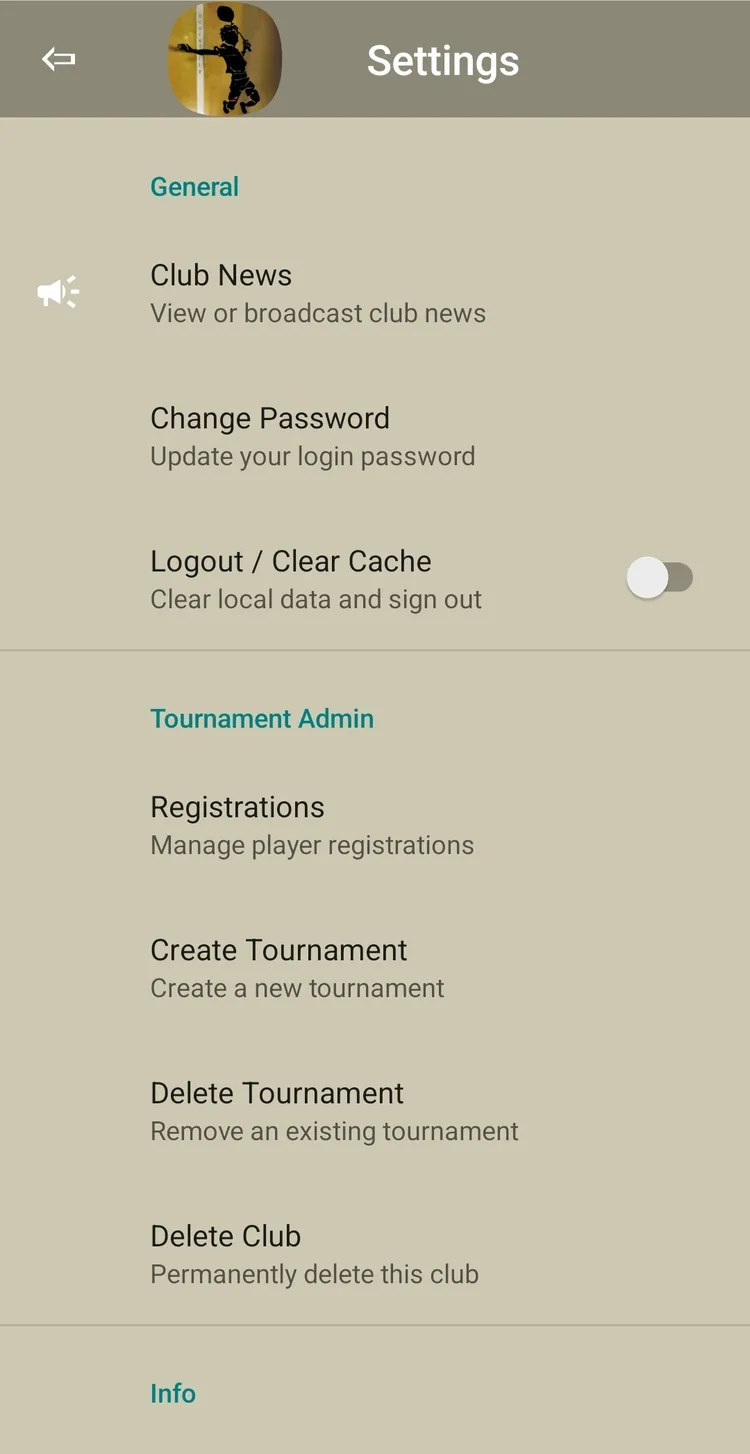
- Go to Settings → Change Password
- Enter current super-user password
- Enter new password(s) for any role
- Confirm
Club League Management SUPER
Access settings via the gear icon in Club League toolbar:
- Add/Delete Player — Manage pool members
- Import Players — Bulk import from list
- Create New Innings — Start a new time period
- Shuffle — Trigger promotion/relegation
- Win% Qualification — Set minimum games for swap eligibility
- History — View past innings results
Shuffle Rules
At the start of a new innings:
- Top N Silver players promote to Gold (default N=3)
- Bottom N Gold players relegate to Silver
Tie-breaking: Points → Win% → Wins → Games played → Season stats → Random
Registration Admin
Registration is the pipeline from player sign-up to tournament fixture creation.
Lifecycle Overview
| Phase | Who | Action |
|---|---|---|
| 1. Create | 🔒 Super | Create registration form |
| 2. Collect | Players | Players submit entries (app or PWA) |
| 3. Review | Admin / Super | Approve, reject, add comments — repeat as needed |
| 4. Import & Create | 🔒 Super | Import approved teams per category → creates Tournament + Category with fixtures |
| 5. Close | 🔒 Super | Close registration (stops new submissions) |
| 6. Export | Admin / Super | Export CSV (optional, for external record-keeping) |
Import can happen while registration is still OPEN (per-category, independent of state).
Creating a Registration Form SUPER
Access: Settings (gear icon on main menu) → Registrations → menu (⋮) → Create New Registration
The create wizard has 3 pages:
- Basics: Tournament Name, Deadline
- Details: Description, Rules
- Waiver: Terms & conditions, Fees
Then add categories (name + singles/doubles type). Tap Create — registration is now OPEN.
Adding Categories Later
While registration is OPEN: menu (⋮) → Add Category to add more categories to an existing registration.
Reviewing Entries
Access: Settings → Registrations → Select tournament
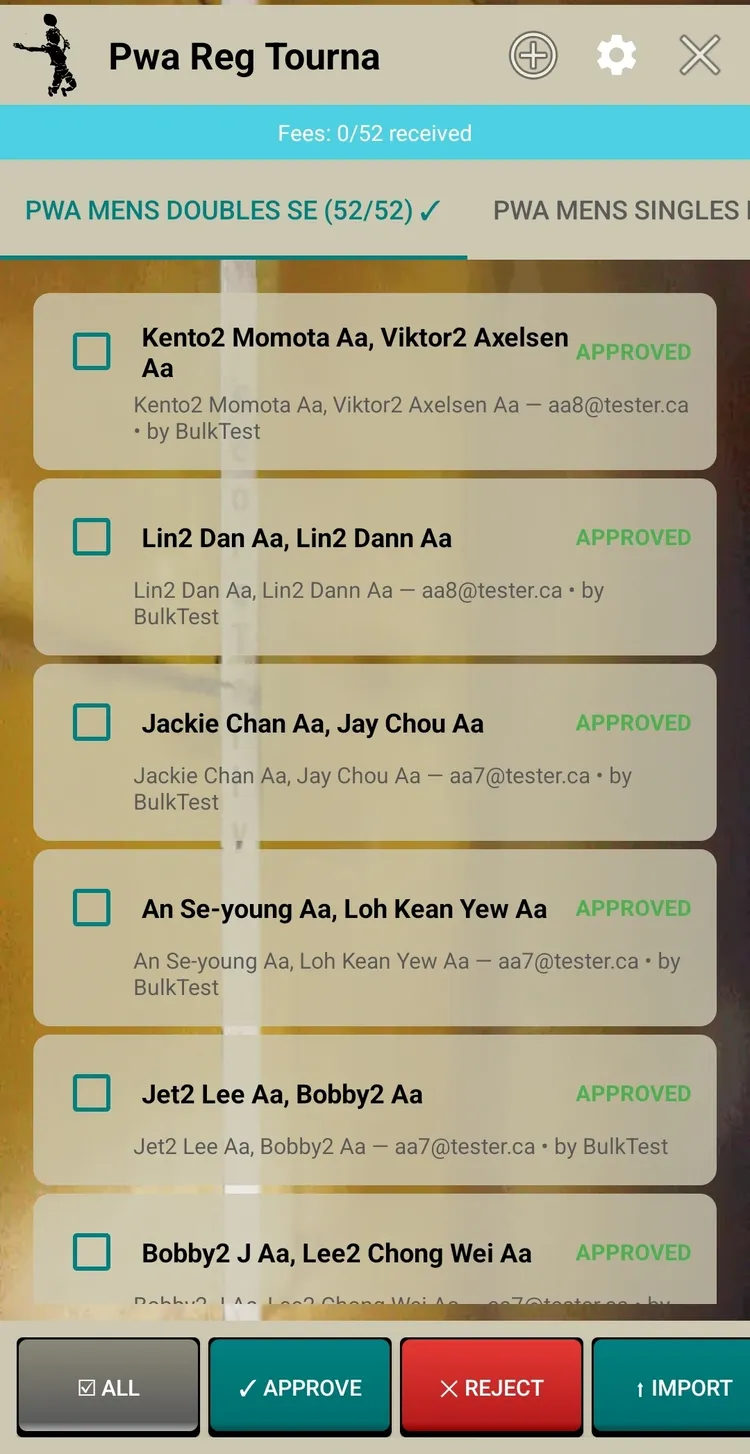
- Approve/Reject — Select entries → batch action
- Mark Fee Received — Track payments
- Add Comment — Feedback on rejections
- Admin-Add — Add walk-in teams directly (pre-approved)
Importing to Tournament SUPER
Import can happen at any time (registration does not need to be closed first):
- Select category tab
- Tap "Import to Tournament"
- Approved teams → Tournament Creation screen
- Configure format and create — fixtures generated from registered teams
- Category marked as "imported"
This is one of two ways to create a Tournament/Category (the other is manual creation).
Closing / Reopening SUPER
- Close — Stops new submissions (menu → "Close Registration")
- Reopen — Allows submissions again (menu → "Reopen Registration")
- Delete (Cleanup) — Removes team data, state → STALE. Keeps last 5 forms for cloning.
Creating Tournaments SUPER
Two Ways to Create
| Method | When to Use |
|---|---|
| From Registration | Import approved teams from registration → auto-creates Tournament + Category with fixtures |
| Manual | Create directly from Tournament Landing → tap "+" → enter teams manually |
Tournament vs Category
- Tournament — A container (e.g., "Summer 2026 Championship")
- Tournament Category — A bracket or league within that tournament (e.g., "Men's Doubles Open")
One tournament can hold multiple categories. Each category has its own format and bracket — but they share courts and scheduling. To add a category to an existing tournament: bracket view → gear → Add Category.
Supported Formats
Single Elimination (SE) Quick tournaments, large fields
Knockout — lose once and you're out. Byes placed automatically when team count isn't a power of 2.
Double Elimination (DE) Fairer for top players
Must lose twice. Upper Bracket + Lower Bracket + Grand Finals. If LB winner wins GF Game 1, reset match (Game 2) is played.
DE No Grand Finals (DENOGF) Time-limited but two chances
Same as DE but UB and LB produce independent winners — no grand finals match. 4 prize positions.
Consolation (CONSOL) Give R1 losers more play time
Main bracket is SE. Round 1 losers placed in separate consolation bracket (also SE). Two winners: Champion + Consolation Champion.
League (Round-Robin) Small groups, maximum matches
Every team plays every other team. Final standings by points. Supports multi-match-sets (mNum=4) for teams with 4+ players.
FunMix (Partner Swap) Fun social format, 8-16 teams
DE doubles where partners rotate after every round. Captain stays, partner changes. Multi-combo Grand Finals.
Creating a Tournament (Manual)
- Go to Tournaments → tap "+"
- Fill in: Tournament Name, Category Name, Format, Number of Teams, Best-of, Points per game
- Enter team names
- Tap Create — fixtures generated automatically
Post-Fixture Roster Edits
- Add a team to a bye slot (Round 1 only)
- Edit team names (corrections)
Elimination Formats
Single Elimination (SE)
- Winners advance, losers eliminated
- Byes placed automatically when team count isn't a power of 2
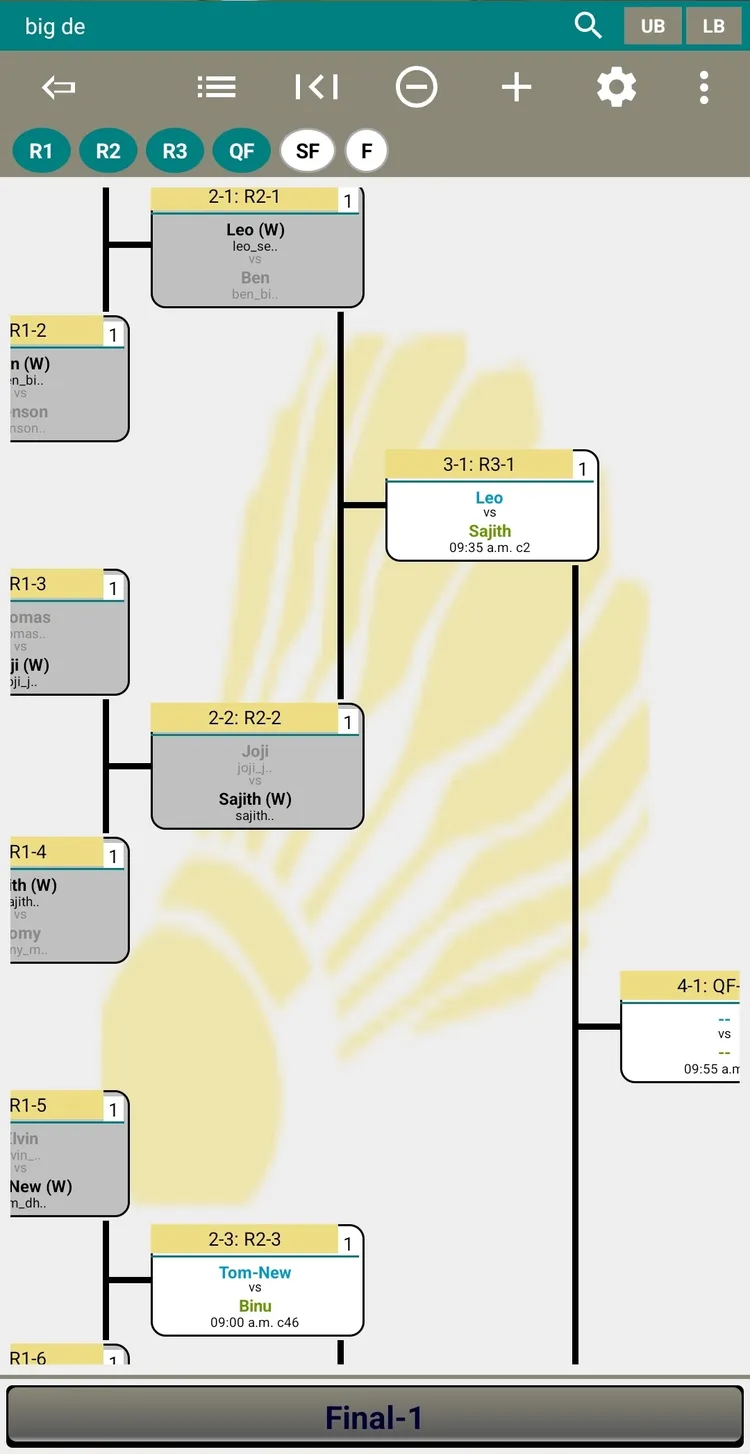
Double Elimination (DE)
- All teams start in Upper Bracket (UB)
- Lose in UB → drop to Lower Bracket (LB)
- Lose in LB → eliminated
- UB winner vs LB winner in Grand Finals
- If LB winner wins GF Game 1 → reset match (Game 2)
Consolation (CONSOL)
Main bracket is SE. Round 1 losers placed in separate Consolation Bracket. Two winners: Champion + Consolation Champion.
League (Round-Robin)
Every team plays every other team. Final standings by points.
Multi-MatchSet (mNum=4)
For teams with 4+ players — each pair plays 4 matches with different player combinations.
- Each player can appear in max 2 matches per match-set
- No duplicate pairs
- App suggests valid combinations
FunMix (Partner Swap)
Social doubles format using DE bracket topology. Partners rotate after every round.
- Each team has a Captain (permanent) and Partner (changes)
- After a match, winner's partner swaps with next opponent's partner
- Minimum 4 teams (8 players), works best with 8-16 teams
Grand Finals
Two partner combinations played. First captain to win 2 combos wins tournament.
Qualification Rounds
League groups → top finishers advance to knockout bracket.
- Create League tournaments for each group (e.g., Group A, B, C)
- Play out all league matches
- Use "Sub-tournament from Leagues" to create knockout from qualifiers
- Select how many advance per group, choose knockout format
Scheduling SUPER
Multi-Tournament Scheduler (Schedule-All)
Schedules matches across ALL selected tournaments at once. Recommended approach.
- From Tournament Landing, tap Schedule-All
- Select tournaments to include
- Configure: start time, match interval, court ranges per tournament
- Tap Schedule
The scheduler:
- Respects bracket dependencies
- Avoids player conflicts across tournaments
- Won't double-book courts
- Color-codes by tournament
Courts View
After scheduling — see all courts with scheduled, in-progress, and completed matches. Player conflict indicators (color-coded dots) help spot overlaps.
Score Entry & Courts View
Entering Bracket Scores
- Navigate to bracket view
- Tap the match → "Enter Score"
- Enter game scores (best-of-1: one game; best-of-3: up to 3)
- Tap Finalize — winner auto-advances
Match Lock
When you start entering a score, the match is locked — prevents other admins from scoring simultaneously. Releases on save or exit.
Set In-Progress
Tap a match → "Set In Progress". Marks it as actively playing. Alerts if player conflicts detected.
Tournament Day — Best Practices
Before the Day
- Create all tournaments in advance — import from registration
- Schedule tournament categories to courts — decide ranges per tournament
- Set up admins — share admin password, brief on score entry
- Print bracket PDFs — display at venue as backup in case of network glitches. Optionally, mark winners in exported PDF printouts (backup plan).
During the Day
- Courts View on tablet at organizer's desk
- Mark In-Progress when players step on court
- Enter scores promptly — unlocks next round
- Score Tracker for umpires — one per court, works offline
Common Issues
| Issue | Solution |
|---|---|
| Player no-show | Edit team to replace with substitute, or leave as walkover |
| Wrong score entered | Super-user can reset match data and re-enter |
| Internet down | Use backup exported PDF rosters |
| Match lock stuck | Lock auto-expires; another admin can override |
Recommended Setup
| Device | Usage |
|---|---|
| Organizer desk tablet | Courts View open |
| Per-court phone | Score Tracker (umpire mode) |
| Display board laptop | Bracket view (PWA, auto-refreshes) |
| All participants | Use ScoreTally app for live viewing |