Member Guide
Everything you need as a club member — view tournaments, enter league scores, register for events, and track scores live.
Getting Started
Download & Install
Android:
- Search "ScoreTally" on the Google Play Store
- Install the app
- Open ScoreTally
Web (PWA):
- Open your browser on any device
- Navigate to score-tally.app/badminton/app/
- On mobile, tap "Add to Home Screen" for an app-like experience (see Web Access section below)
Joining Your Club
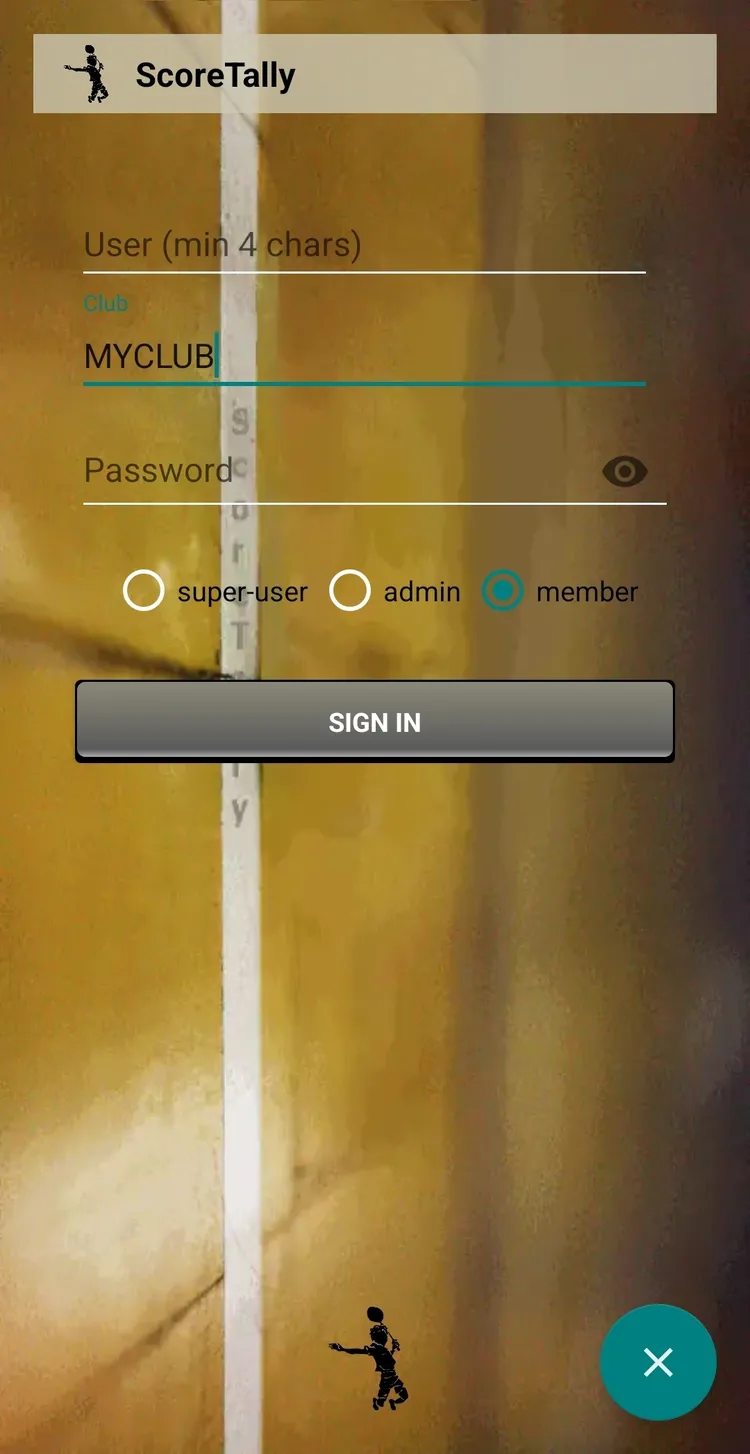
Your club's super-user will give you the club name and member password.
- Enter your username (display name)
- Enter the club name
- Enter the member password
- Select your role (Member)
- Tap Sign In
The Main Menu
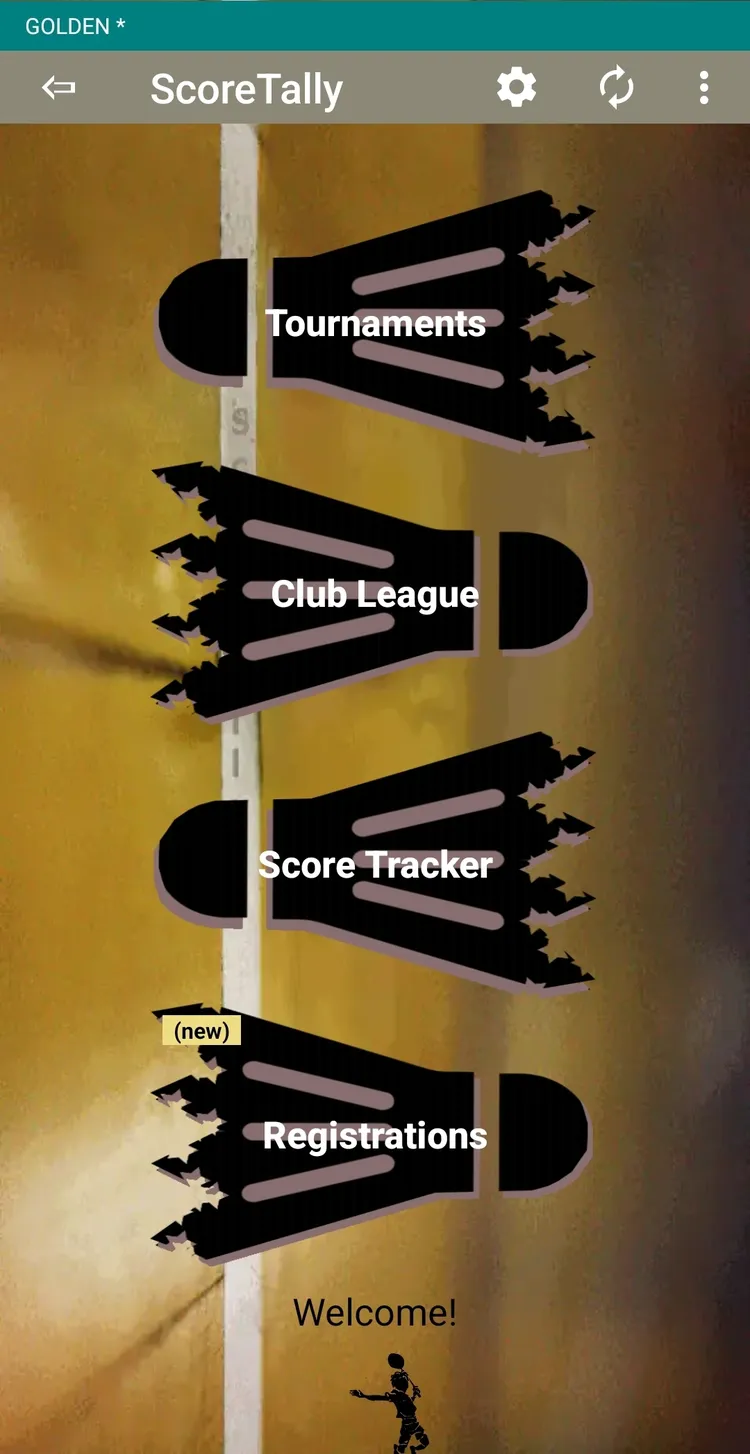
After signing in, you'll see:
- Club League — Your weekly league (Gold/Silver groups)
- Tournaments — View tournament brackets, scores, and schedules
- Score Tracker — Standalone live scoring tool
- Registrations — Register for upcoming tournaments (visible only when the club super-user has opened registrations)
Club League
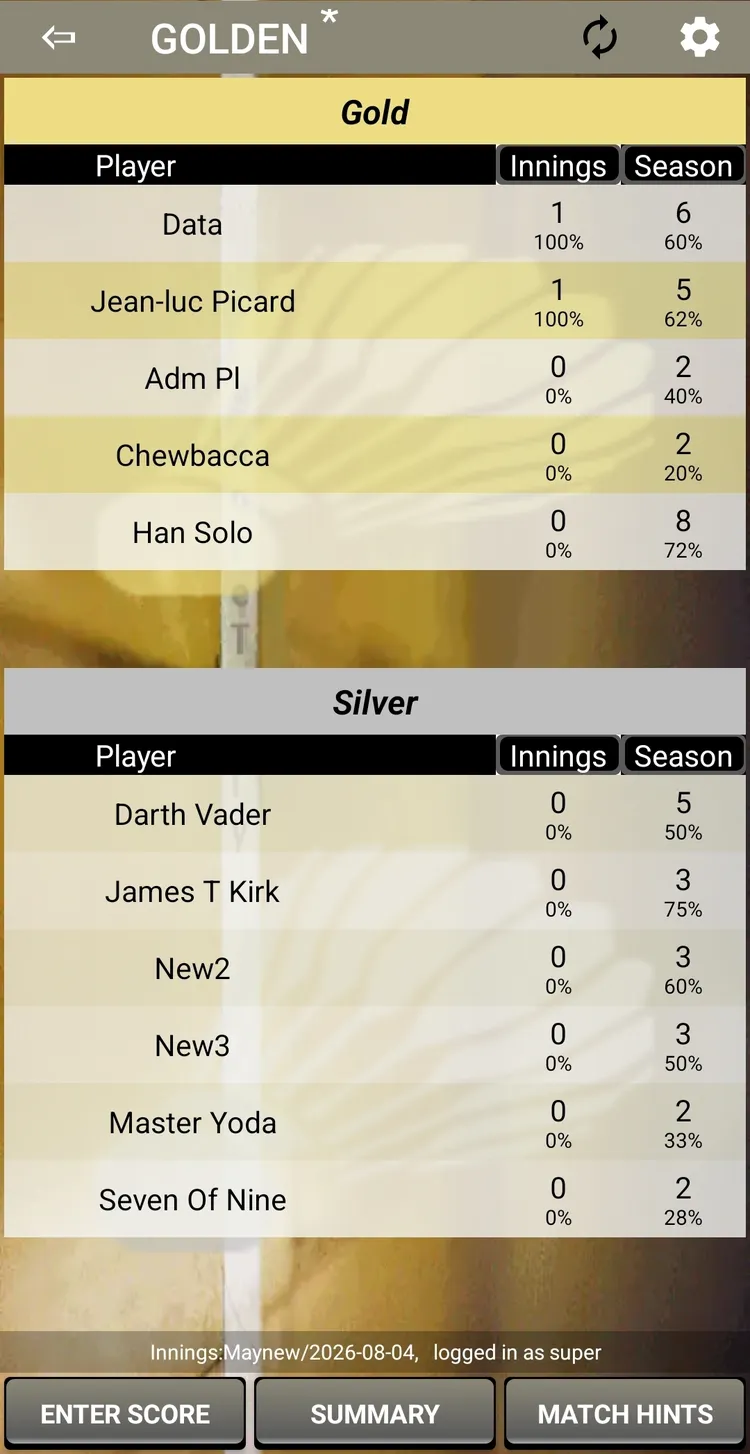
Club League is ScoreTally's weekly fun league feature. Players are divided into two pools — Gold (top rank) and Silver — and play games within their pool.
How It Works
- Players are divided into Gold and Silver pools
- Each game day (round), players play within their group
- Winners earn 1 point per game
- At the end of an innings, top Silver players move to Gold and bottom Gold players move to Silver
Key Concepts
| Concept | Description |
|---|---|
| Gold / Silver | Two pools. Gold is the top rank. |
| Innings | A time period (typically one month). Multiple rounds per innings. |
| Round | A single game day within an innings. Rounds let ScoreTally suggest match pairings without repeating the same players, ensuring everyone gets varied opponents each day. |
| Shuffle | End-of-innings promotion/relegation between pools. |
| Season | All innings combined. Tracks cumulative stats. |
Entering Scores
- Open Club League from the main menu
- Tap Enter Score
- Select the Group (Gold or Silver) and Format (Singles or Doubles)
- If the app hints that a new round is needed, tap Create New Round (this only needs to be done once per game day, by the first person entering a score that day)
- Select the players (2 per side for doubles, 1 per side for singles)
- Enter the score
- Tap Save
Viewing Standings
Tap Summary to see current innings points, season totals, and win percentage. Players are sorted by points, then win%, then number of wins.
Viewing Tournaments
Tournament Formats
| Format | Description |
|---|---|
| Single Elimination (SE) | Knockout — lose once and you're out |
| Double Elimination (DE) | Must lose twice. Upper Bracket + Lower Bracket + Grand Finals |
| DE No Grand Finals (DENOGF) | Same as DE but UB and LB produce independent winners — no grand finals match |
| Consolation | SE + first-round losers play a consolation bracket |
| League | Every team plays every other team (round-robin) |
| FunMix | DE doubles where partners rotate after each round |
Viewing the Bracket
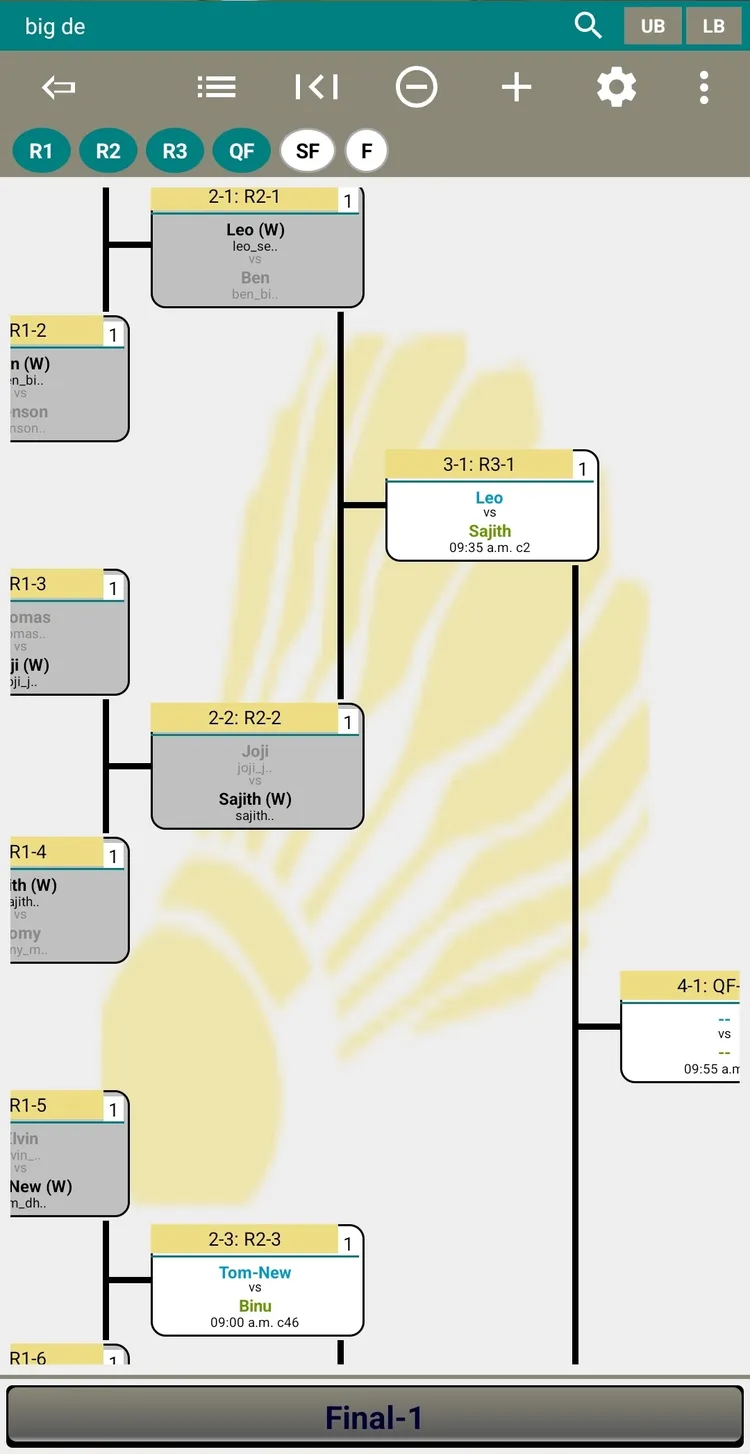
The bracket display shows all matches organized by round, with team names, scores, scheduled times, and court numbers.
Top Toolbar Buttons
| Button | Action |
|---|---|
| List / Graph | Toggle between list view (flat match list) and graph view (bracket tree) |
| Paged | Toggle paged navigation — navigate round-by-round with edge strips instead of free scrolling (graph mode only) |
| Zoom Out (−) | Decrease bracket size for a wider overview |
| Zoom In (+) | Increase bracket size for detail |
| Refresh | Reload bracket data from server |
| Search (🔍) | Find a match by ID or player/team name (in ribbon) |
Bracket Ribbon (DE/DENOGF/Consolation formats)
| Button | Action |
|---|---|
| UB | Show the Upper Bracket (winners bracket) |
| LB | Show the Lower Bracket (losers bracket) |
Navigation:
- Swipe/scroll horizontally to see later rounds
- Tap a match to see full details
- Winners highlighted and auto-advanced
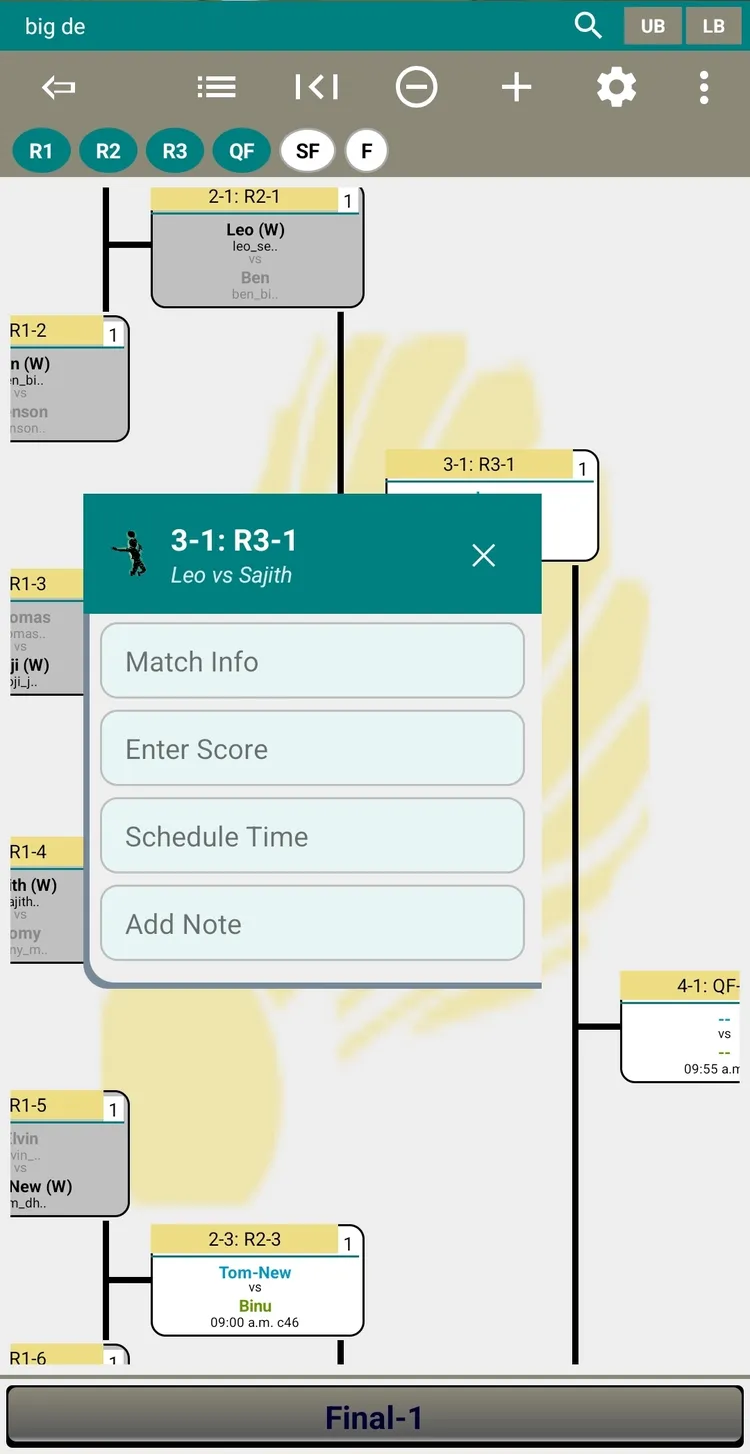
Match Info
Tap any match to see teams, players, scheduled time, court, current score, and match history.
Player Registration
Registering for a Tournament
The registration wizard guides you through 4 steps:
- Info — Read tournament description and rules
- Category — Choose your category (e.g., Men's Doubles, Mixed)
- Players — Enter player names, DOB, email. For doubles: both players.
- Waiver — Accept terms & conditions, tap Register
Checking Status
Go to Registration → Status to see your entries and current status: PENDING, APPROVED, or REJECTED.
- You don't need a ScoreTally account to register — just an email address
- A single email address can be used to register multiple players
- For doubles: always register as a team (both partners together), not individually
- The email is cached locally for future registrations (no re-typing)
Score Tracker
A standalone live-scoring tool for umpires or players. Works completely offline.
Starting a Match
- Open Score Tracker from the main menu
- Enter player names (singles or doubles)
- Set win point (11, 15, 21, or 30) and best-of (1 or 3)
- Tap Start Game
Setup Ribbon
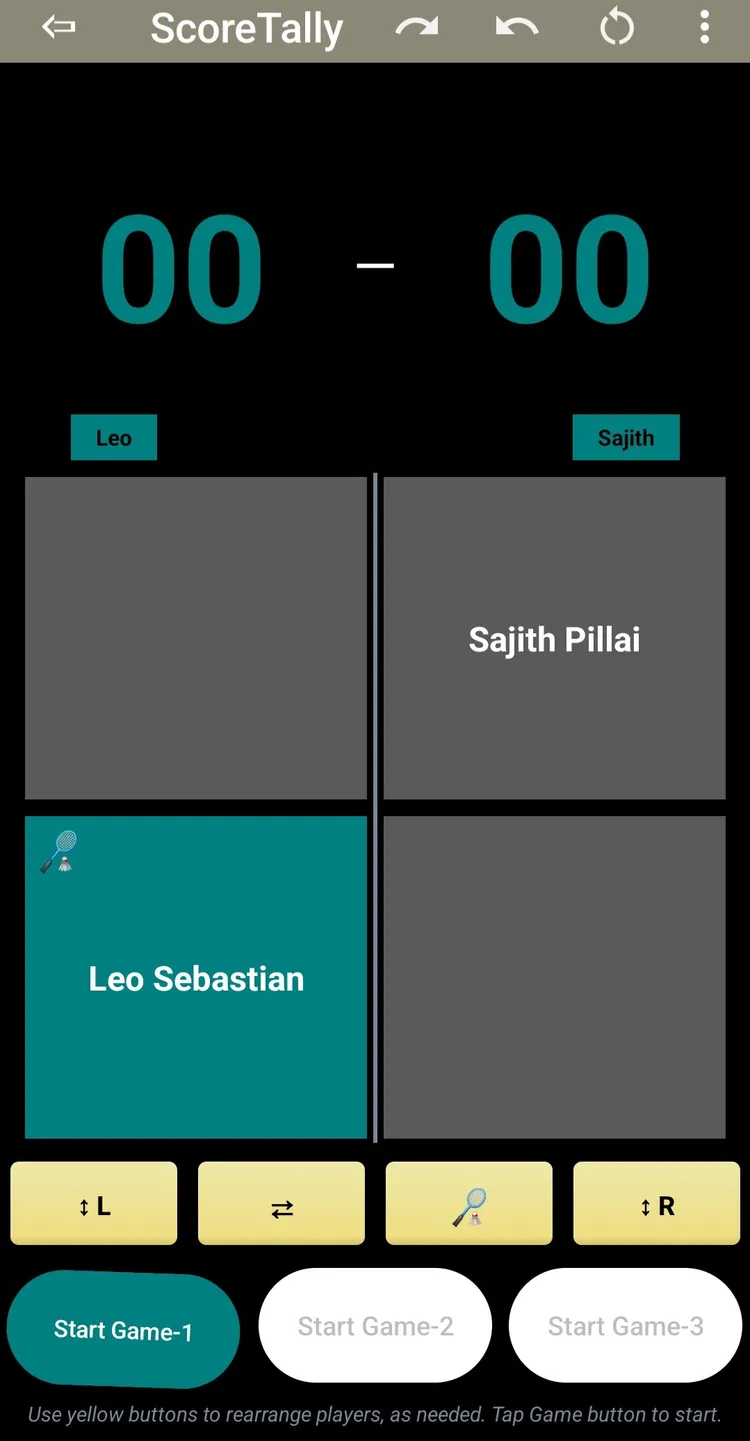
Before the first point is scored, a setup ribbon appears with 4 buttons to arrange court positions and service:
| Button | Action |
|---|---|
| ↕L | Swap left-side player positions (top/bottom) |
| ⇄ | Swap teams (left ↔ right) |
| 🏸 | Change initial service (who serves to whom) |
| ↕R | Swap right-side player positions |
Use these buttons to match the actual court setup — who is standing where, and who is serving first. Once the first point is scored, the ribbon locks.
During the Match
- Tap left side or right side to award a point
- Service indicator (🏸) updates automatically
- Player positions swap based on score parity (doubles)
- Deuce and golden point handled automatically
Undo / Redo
Use ↶ (undo) and ↷ (redo) to correct mistakes. Multiple undo/redo supported. Match state is saved automatically — close and reopen without losing progress.
Web Access (PWA)
ScoreTally is available as a Progressive Web App — accessible from any browser.
- Navigate to score-tally.app/badminton/app/
- Sign in with your club name and password
- All tournament data syncs in real-time
Add to Home Screen
Android (Chrome): Menu (⋮) → "Add to Home Screen"
iPhone (Safari): Share (⎙) → "Add to Home Screen"
Feature Comparison
| Feature | Web | Android |
|---|---|---|
| View Brackets | ✓ | ✓ |
| View League Standings | ✓ | ✓ |
| Courts View | ✓ | ✓ |
| Player Registration | ✓ | ✓ |
| Score Tracker | ✓ | ✓ |
| Club League | ✓ | ✓ |